So you’ve poured your heart into a blog post—hours of writing, editing, maybe even skipping dinner—and now it’s just… sitting there.
Over 90% of content gets zero traffic from Google, according to Ahrefs.
With over 7 million blog posts published daily, only a select few capture that prime spot.
But that’s not because your post isn’t good. It’s because most people don’t know how Google actually decides what to show on page one. And once you do get how it works?
You can flip the switch. This guide breaks it down simply— just the exact steps to move your post from buried to #1.
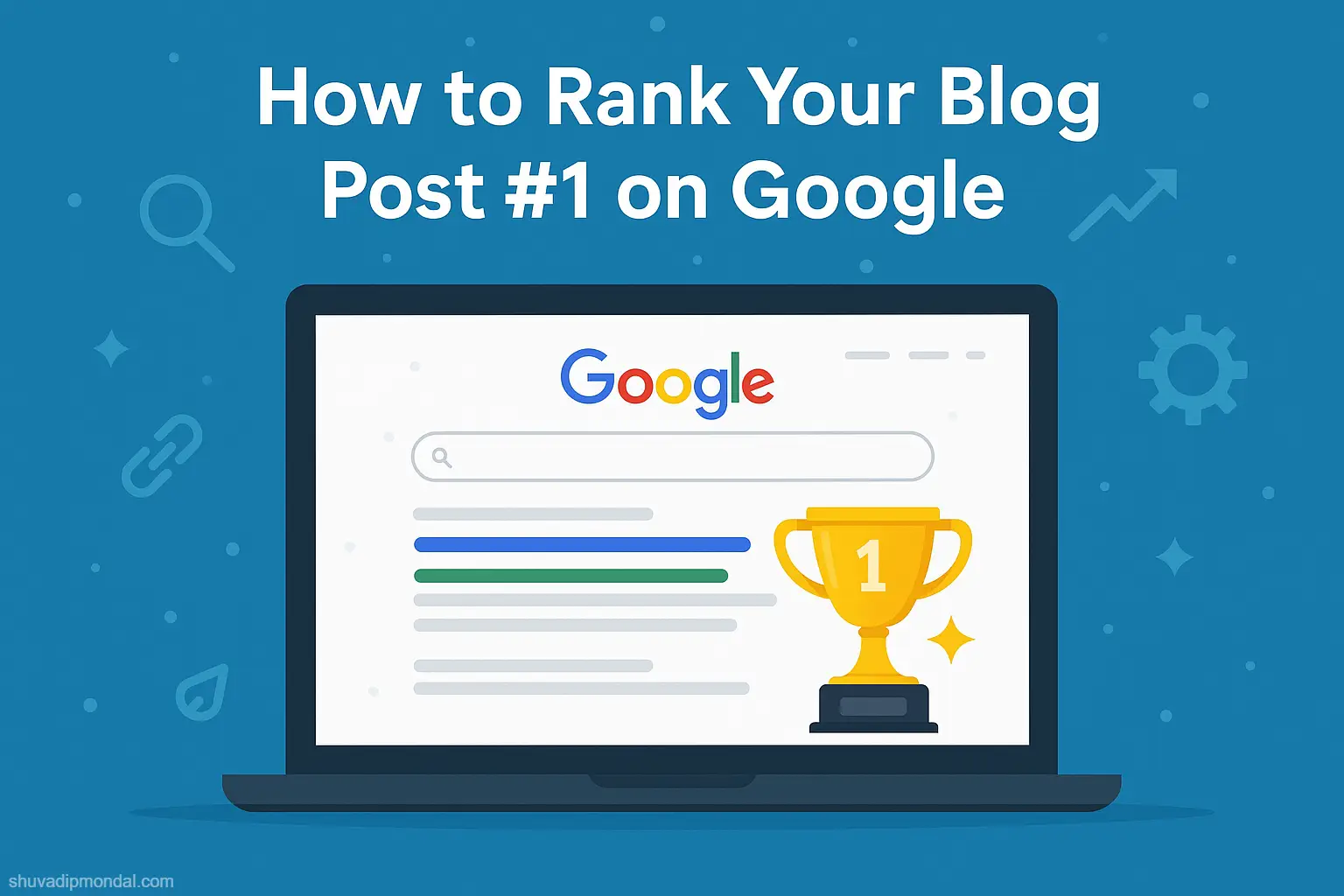
Based on the latest 2025 data, showing you clear, actionable steps to elevate your post to number one on Google.
We’ve analyzed trends and extracted practical strategies from the top-performing posts this year. Whether you’re starting out or seeking to boost your existing content, these insights will help you cut through the noise and get noticed.
Step 1: Chat with Your Readers (Without Actually Chatting)
The first step to ranking your blog is understanding who you’re writing for. Think of your ideal reader. What keeps them up at night? What do they Google when they think no one’s watching? Understanding this will help you create content that’s both useful and engaging. Use tools like Google Analytics to get a sneak peek into their world, or just ask them directly through surveys or social media interactions.
Step 2: Finding the Right Words
Here’s where the magic starts. Keywords are just the words your ideal reader types into Google. The trick is to find the right ones and sprinkle them into your posts like fairy dust. You don’t need fancy tools for this—start with Google’s own search bar. Type in a topic and see what Google suggests. These suggestions are real searches that real people are making.
Step 3: Let’s Get Writing!
Now, for the fun part—writing your post. Here’s how to make it shine:
- Headline: Make it snappy and engaging. Your headline is your first impression—make it count!
- Introduction: Draw them in. Start with a question or a surprising fact. Make them want to read on.
- Subheadings and Lists: Break things down. Nobody likes a wall of text. Use subheadings to lead them through your post and lists to break up the info.
- Visuals: A picture says a thousand words. Add images, infographics, or videos to explain complicated points and add some visual flair.
- Personality: Let your unique light shine through. Write like you talk—this helps to connect with your reader and makes your content memorable.
Step 4: Dressing Up Your Blog for Google
Think of Google like a librarian. To recommend your book (aka your blog post), Google needs to understand what it’s about. This is where on-page SEO comes in handy:
- Meta Magic: Your meta title and description are what show up in search results. Make them interesting and include your main keyword.
- Clean URLs: Keep your URLs short and sweet, with your main keyword in there somewhere.
- Image Tags: Fill in the alt text for your images. Describe what’s in the image so Google (and visually impaired users) can understand them.
Step 5: Making Friends in High Places
Off-page SEO is all about building relationships. The more reputable sites link to your blog, the more Google trusts you. Reach out to other bloggers with a friendly email, share each other’s content, or guest post on each other’s blogs. It’s like getting a vouch from a trusted friend in Google’s eyes.
Step 6: Be Mobile-Friendly
More people than ever are browsing on their phones. Make sure your blog looks good and works well on mobile devices. A responsive design automatically adjusts to fit any screen, making your blog accessible to everyone—because nobody likes squinting at their phone.
Step 7: Keep Things Fresh
Google loves fresh content. By updating your posts regularly and posting new content, you keep both Google and your readers happy. Seen something new in your field? Update an old post to include this new info or write a new one.
Step 8: Watch and Learn
Lastly, keep an eye on how your posts are doing with tools like Google Analytics. What are people reading the most? What do they ignore? Use this info to tweak your strategy and improve.
Step 9: Speed Things Up
Google has a need for speed, and so do your readers. A slow-loading site can turn off visitors and decrease your ranking. Optimize your images, streamline your code, and consider switching to a faster hosting service if necessary. You can check your site’s speed using tools like Google’s PageSpeed Insights. If your pages load in more than a couple of seconds, it’s time to make some tweaks!
Step 10: Secure Your Site
Security isn’t just for peace of mind; it affects your Google ranking too. Ensure your site uses HTTPS, which secures the connection between your website and your visitors. This is particularly crucial if you handle sensitive information.
Most hosting providers offer a free SSL certificate to switch your site to HTTPS. It’s a simple upgrade that can boost both your security and your SEO.
Step 11: Harness the Power of Social Media

While social media doesn’t directly impact your SEO, it influences factors that do. Share your content across social platforms to increase engagement and traffic. Use catchy headlines, attractive visuals, and engage directly with your followers by responding to comments and sharing user-generated content. This not only drives traffic but also enhances your brand’s visibility and authority.
Step 12: Use Structured Data
Structured data, or Schema markup, helps Google to not only crawl your site but also to understand its content. It helps to create rich snippets—those short previews of your content that appear in search results, sometimes with stars for reviews, images, or other useful visuals. Adding structured data to your HTML marks your site’s content as high-quality and relevant, which can boost your visibility in search results.
Step 13: Local SEO: Think Locally
If you’re running a local business or your blog is targeting a specific geographic area, local SEO is crucial. Make sure your location is mentioned in key areas like your site’s footer and in your meta data.
Register your business with Google My Business, and encourage satisfied customers to leave positive reviews. Local backlinks, from local newspapers or blogs, for example, can also help to boost your local search visibility.
Step 14: Track Your Keywords and Adjust as Needed
SEO isn’t set-it-and-forget-it. The digital landscape changes rapidly, and so can the effectiveness of your keywords. Regularly review the performance of your keywords and compare them against new ones that might be gaining traction. Tools like Google Trends can help you understand shifts in search behavior and adapt your content accordingly.
Step 15: Don’t Ignore Voice Search
With the rise of digital assistants, voice search has become a significant part of how users find information on the internet.
Optimize for voice search by including natural language in your content. Think about how people talk, not just how they type: use conversational phrases and questions that people are likely to speak rather than type.
Enhance Content with LSI Keywords
Beyond your primary keywords, incorporating Latent Semantic Indexing (LSI) keywords into your content can significantly boost your SEO efforts. LSI keywords are terms and phrases that are contextually related to your main keyword. They help search engines like Google understand the depth and relevance of your content, which can improve your rankings.
How to Use LSI Keywords Effectively:
- Research: Use tools such as LSIGraph or Google’s “Searches related to” section at the bottom of the search results page to find relevant LSI keywords.
- Natural Integration: Don’t just stuff these keywords into your content. Instead, weave them naturally into your articles where they make sense.
- Contextual Relevance: Make sure that the LSI keywords you choose closely relate to your main topic to enhance the overall context of your content.
Focus on User Experience (UX)
User experience (UX) plays a pivotal role in SEO. Google’s algorithms continue to evolve and now prioritize sites that offer a smooth and engaging user experience. Improving UX can lead to better engagement metrics, such as lower bounce rates and longer time spent on the site, which can positively impact your rankings.
Strategies to Improve UX on Your Blog:
- Responsive Design: Ensure your blog is accessible and visually appealing across all devices, especially on mobile.
- Navigation: Make it easy for visitors to find what they’re looking for with a clear and simple navigation menu.
- Loading Speed: Optimize images and streamline your site’s code to speed up loading times. Use tools like Google PageSpeed Insights to identify areas for improvement.
Leverage the “Skyscraper Technique”
The Skyscraper Technique involves finding content within your niche that is already performing well (i.e., content with high engagement and backlinks) and creating something better. This method not only helps in creating high-value content but also in securing backlinks as you reach out to those who linked to the original content.
How to Implement the Skyscraper Technique:
- Research: Identify popular content with tools like BuzzSumo or by looking at the top-ranking articles on Google.
- Create Superior Content: Produce a piece that is more comprehensive, up-to-date, and visually appealing.
- Outreach: Contact websites or bloggers who linked to the original article and show them your enhanced version as a more valuable link to include.
Regularly Update Old Content
Google favors fresh, up-to-date content. Regularly revisiting and updating your older posts can not only keep your content relevant but also give you a boost in search rankings.
Tips for Updating Old Content:
- Add Recent Information: Integrate the latest data and developments related to the topic.
- Improve SEO: Update meta descriptions, titles, and keywords to reflect current best practices.
- Enhance Readability and Visuals: Refresh the layout, add new images, and improve the overall readability of the post.
How to Rank Your Blog Post #1 on Google: A Step-by-Step Guide(Summary)
Let’s break it down into simple, actionable steps to get your new website climbing up to that #1 spot on Google. Imagine we’re just hanging out and you asked me, “How do I get my site to the top?” Here’s what I’d tell you:
- Understand Your Audience: Really dig into who your readers are and what they need. This will guide everything from the content you create to the keywords you choose.
- Solid Keyword Research: Find out what your audience is searching for and use these keywords naturally in your content. Focus on long-tail keywords as they have less competition and are more specific.
- Quality Content is King: Write content that’s engaging, informative, and answers the questions your audience might have. Make it so good that people can’t help but share it.
- Optimize Your Pages: Ensure each page on your website has a clear focus. Use your keywords in the title, meta description, and throughout the content in a way that feels natural.
- Mobile-Friendly Website: Most people are browsing on their phones, so make sure your site looks good and works well on all devices.
- Speed It Up: Nobody likes a slow website. Work on reducing your load times by optimizing images, using minimalistic designs, and choosing a reliable host.
- Get Trustworthy Links: Try to get other reputable websites to link to your content. This could be through guest blogging, collaborations, or just creating stellar content that naturally attracts backlinks.
- Regular Updates: Keep your content fresh and up-to-date. Google loves websites that are actively maintained and updated with new information.
- Engage on Social Media: Share your content on social media to drive traffic and create buzz. Interact with your followers to build a community around your brand.
- Use Analytics: Keep an eye on what’s working and what’s not with Google Analytics. Use this data to tweak your strategy and improve where necessary.
Remember, getting to that #1 spot takes time and persistence, but with these foundational steps, you’re well on your way. Keep learning, keep tweaking, and stay patient—it’ll pay off!
FAQs
FAQ 1: How long does it take to rank #1 on Google?
Answer: It varies significantly based on competition, keyword difficulty, and content quality, but typically it can take anywhere from 3 to 6 months for a new website to start seeing substantial organic traffic. For highly competitive keywords, it could take even longer.
FAQ 2: Do I need to hire an SEO expert?
Answer: Not necessarily. Many basic SEO strategies can be implemented on your own, especially with the wealth of resources and tools available online. However, hiring an SEO expert can be beneficial if you’re looking to scale up quickly and efficiently.
FAQ 3: How important is keyword research?
Answer: Extremely important. Keyword research helps you understand what your audience is searching for so you can tailor your content to meet those needs. It’s foundational for effective SEO.
FAQ 4: What’s the difference between on-page and off-page SEO?
Answer:
- On-page SEO refers to the optimization strategies you apply directly on your website, such as content quality, keyword optimization, header tags, and meta descriptions.
- Off-page SEO involves activities outside of your website to improve your site’s trustworthiness and authority, primarily through building backlinks.
FAQ 5: How many keywords should I use in my content?
Answer: There’s no one-size-fits-all number, but the key is to use keywords naturally and contextually. Focus on one or two main keywords per piece of content and include relevant secondary keywords without keyword stuffing.
FAQ 6: Are backlinks still important in 2023?
Answer: Yes, backlinks remain a crucial factor in Google’s ranking algorithm. The quality of backlinks often matters more than quantity, as links from reputable and relevant sites provide more SEO value.
FAQ 7: What is a “bounce rate” and why does it matter?
Answer: Bounce rate is the percentage of visitors who leave your site without interacting further than the first page they land on. A high bounce rate might indicate that your site’s content or user experience is not engaging enough, which can negatively affect your SEO.
FAQ 8: Should I focus on local SEO?
Answer: If your business serves local customers or has a physical location, local SEO can be crucial for attracting local traffic. This includes optimizing for local keywords, creating a Google My Business profile, and collecting local reviews.
FAQ 9: How can I improve my website’s loading speed?
Answer: Optimize image sizes, minimize HTTP requests, use caching, and choose a reliable web hosting service. Tools like Google PageSpeed Insights can provide specific recommendations for your site.
FAQ 10: Can social media impact my Google rankings?
Answer: Directly, no. However, social media can indirectly impact rankings by increasing your content’s reach and engagement, which can lead to more backlinks and organic traffic.
FAQ 11: What is Google’s E-A-T and why is it important?
Answer: E-A-T stands for Expertise, Authoritativeness, and Trustworthiness. Google uses these criteria to evaluate the quality of content, especially for YMYL (Your Money or Your Life) pages. Demonstrating strong E-A-T in your content and website can improve your rankings, as Google prioritizes sites that offer credible and reliable information.
FAQ 12: How do I optimize my website for voice search?
Answer: Optimize for voice search by including conversational phrases and long-tail keywords that mimic how people talk rather than type. Make sure to answer questions directly and clearly in your content, and consider adding a FAQs section which aligns well with voice search queries.
FAQ 13: What is schema markup and how does it affect SEO?
Answer: Schema markup is code (semantic vocabulary) that you put on your website to help the search engines return more informative results for users. It can enhance your search listings in several ways, such as by adding rich snippets (like star ratings, images, etc.), which can improve click-through rates and drive more traffic.
FAQ 14: How often should I update my content?
Answer: Updating content regularly is key to maintaining high rankings. You should revisit and update your posts every 6 to 12 months, especially for fast-changing topics. Updates could include new information, refreshed statistics, and improved SEO practices.